Radiens electrophysiology software, mapped to your probe
Pick the probe and the headstage, and Radiens keeps every channel on its site, from the first recording to the NWB file.
Radiens knows how your probe is wired
Radiens is NeuroNexus software for acquiring, analyzing and curating neural recordings. It carries native models of NeuroNexus probes, SiNAPS and Neuropixels, so channels arrive in site order on Smartbox, XDAQ and SiNAPS systems. Radiens Standard is free.
Choose the probe, and see it in the brain
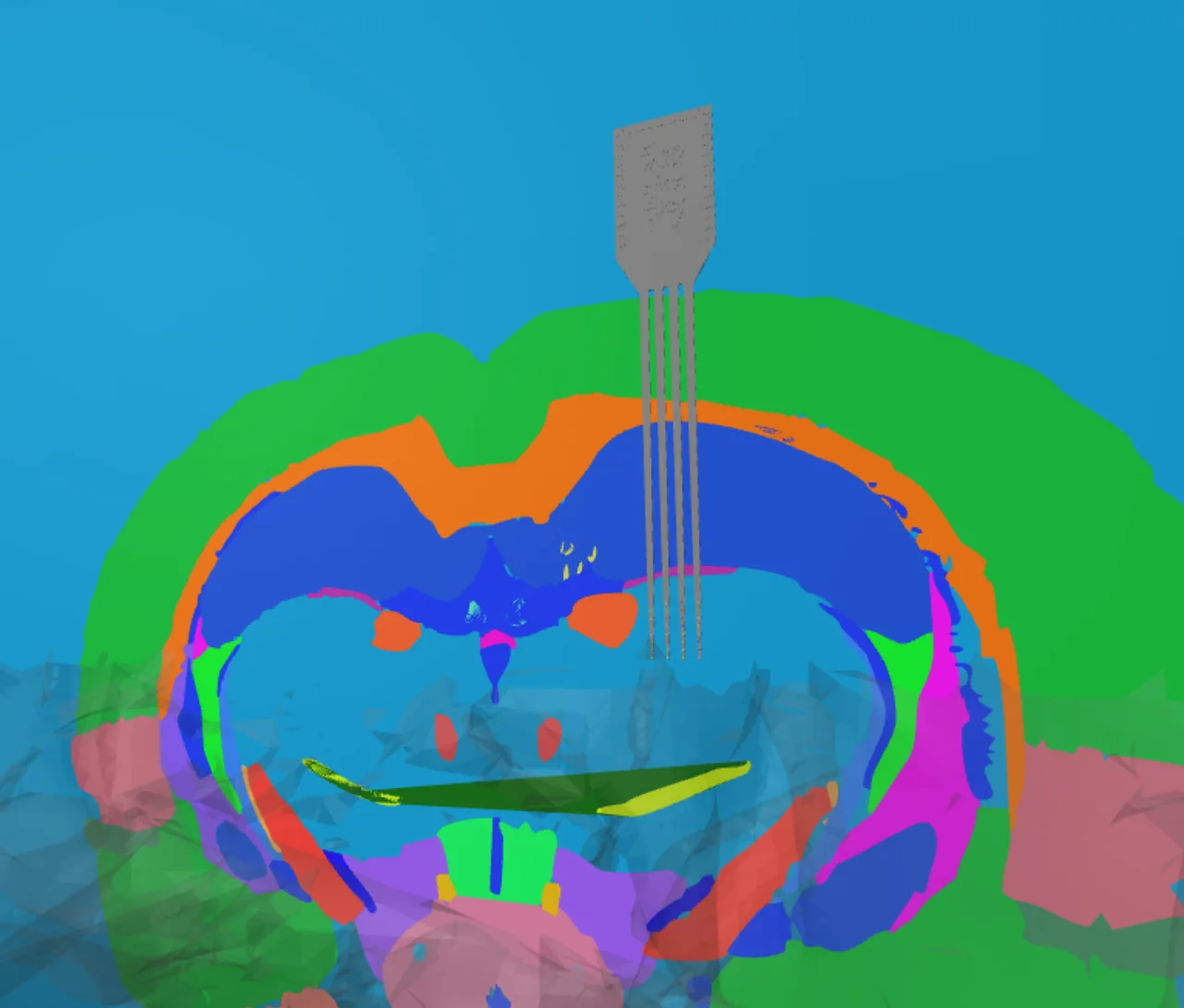
In the Electrodes tab, choose the NeuroNexus probe and the headstage it plugs into, and Radiens maps every site to its channel. The 3D Model tab draws the probe in a brain model, site for site.
Native probe models
NeuroNexus probes and grids, SiNAPS and Neuropixels.
Your own layout too
Import any other probe from CSV or ProbeInterface and it maps like a native model.
Brain atlas (Pro)
An atlas section showing the regions along each shank.
Signal quality on every site, before and while you record
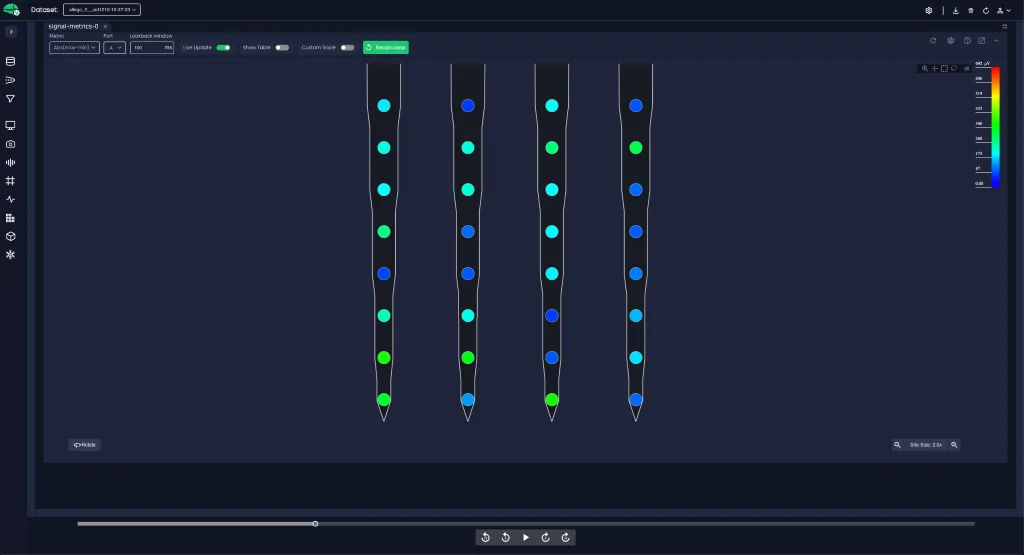
Run impedance from Allego before the session, then watch signal quality site by site as you record, drawn as a heat map on the probe’s own layout.
Impedance in the workflow
Magnitude and phase for every site, without leaving Allego.
Live signal-quality readout
Per-site metrics with a lookback window, colored onto the shanks.
Signal-metric statistics (Pro)
Statistics and actions on the live metrics, including mean peak-to-peak amplitude.
Record up to 1,024 channels in Allego
Allego runs the acquisition on Smartbox, XDAQ and SiNAPS systems. Build the filter chain on the signal path, then sort spikes and watch the raster as the session runs.
Visual Filter Builder
Hardware and DSP filter chains on the signal path, saved for reuse.
Live spike sorting
Units, the raster and the spike grid during the recording.
Live PSTH and spectral (Pro)
Event-locked histograms and time-frequency views while you record.

Sort spikes and read unit quality in Videre
Open the recording in Videre to sort it and read each unit’s quality on the probe.
Automated sorting, free
The standard-model sorter, live in Allego or after the recording in Videre.
Sort quality
SNR, noise, unit yield and sort efficiency for every sort.
Band power, spectra and CSD from the same recording
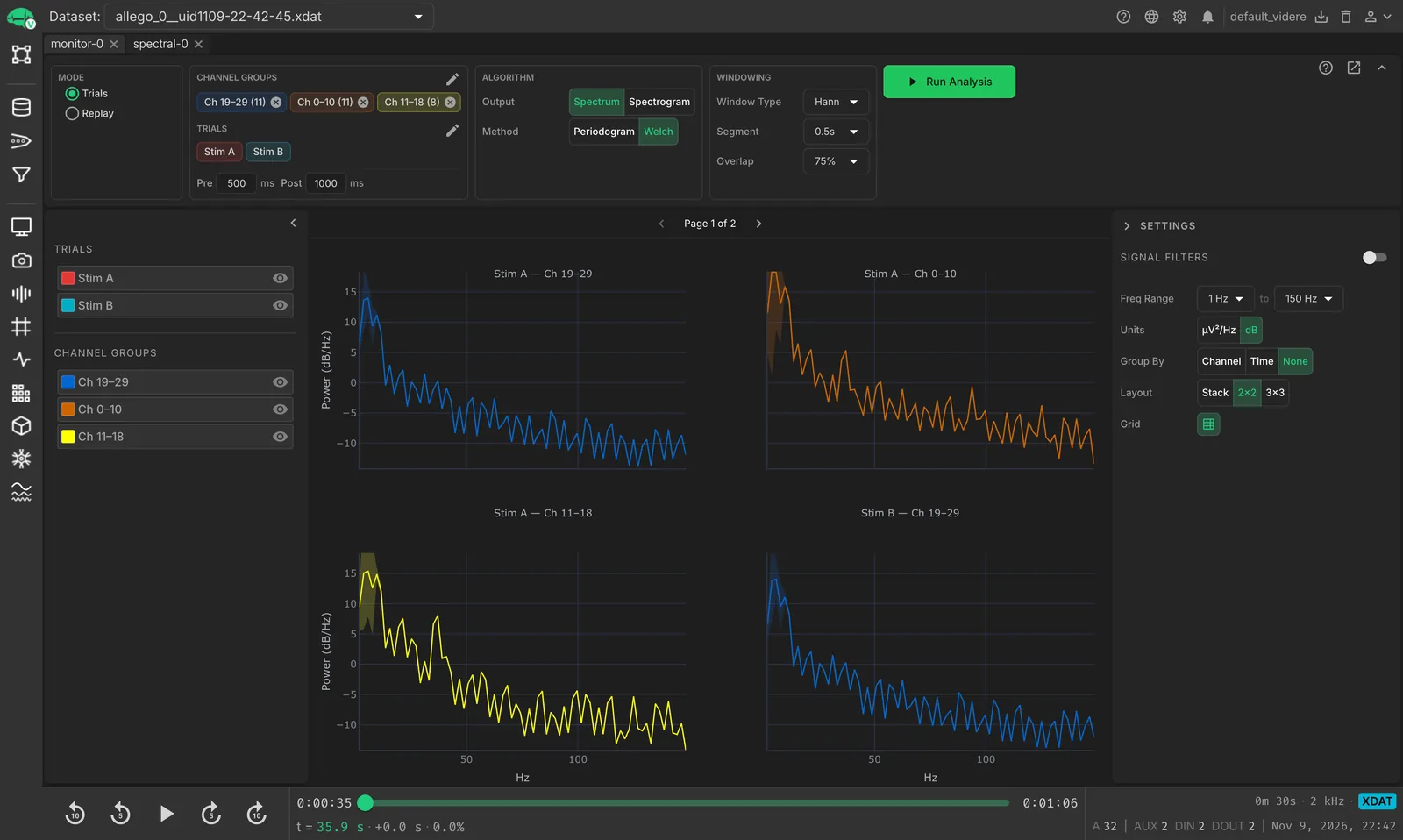
In Videre, read field power by band, work the spectrum and spectrogram by channel group, and check EEG and ECoG quality before you analyze.
Band power and spectra
Delta-to-gamma band power, Welch PSD and the spectrogram for LFP, EEG and ECoG.
EEG and ECoG quality
SNR, line-noise and artifact-rate readouts that gate the data before analysis.
CSD and coherence (Pro)
Sinks and sources across depth, cross-channel coherence and multitaper PSD.
Filter, reference and export to NWB in one protocol
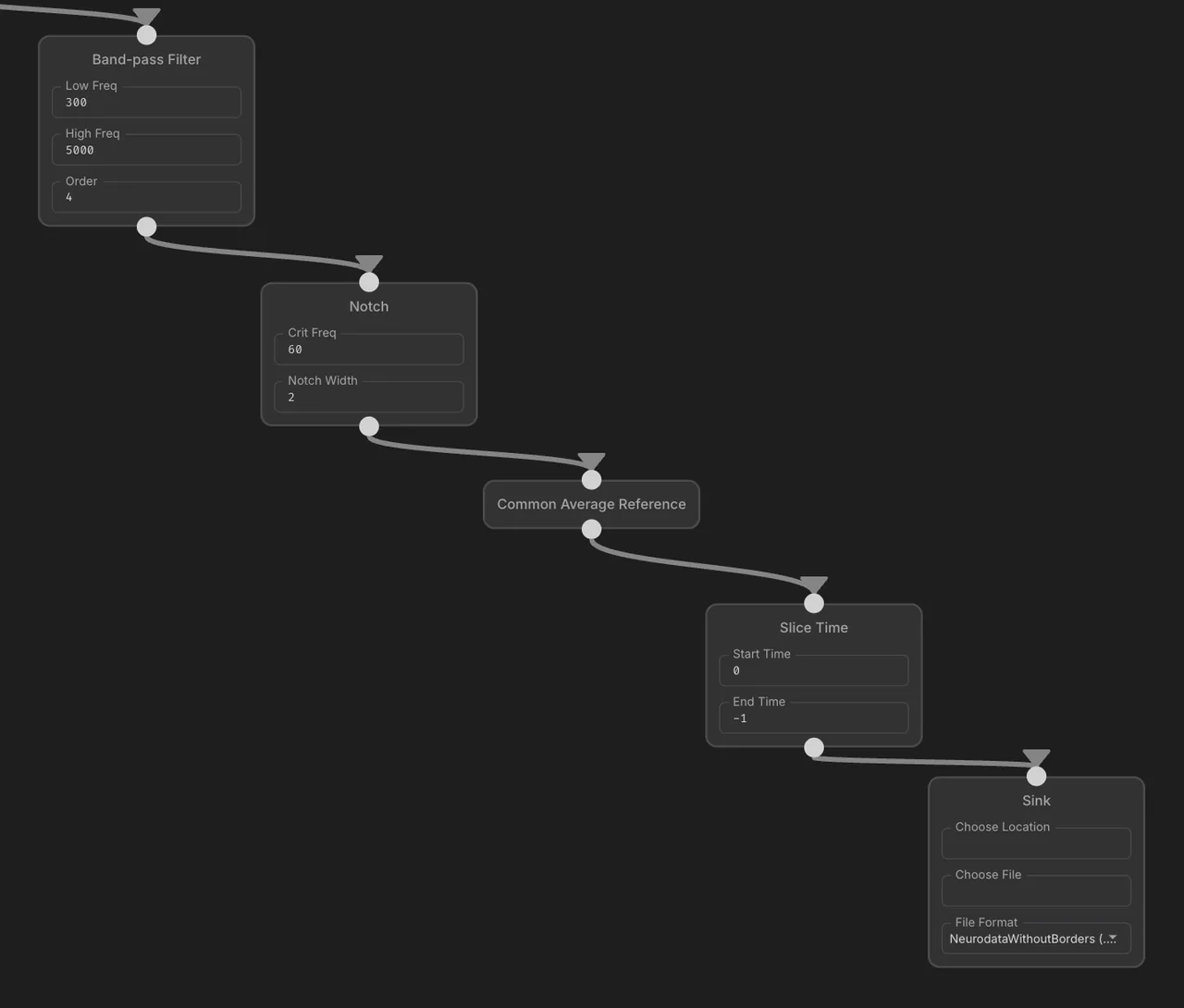
In the Curate tab, chain a band-pass filter, a notch, a common average reference and the export, then run it on the recording.
NWB, read and write
Open NWB files natively, and write any recording to NWB.
Saved protocols (Pro)
Save the chain once and run it on every session.
The layout in every export
Site positions and the probe ID go into NWB, CSV, HDF5, NeuroExplorer and Kilosort exports.
Every operation, from Python or the command line
RadiensPy gives Python the operations the apps run, and the Radiens CLI runs them from a terminal or an agent.
RadiensPy, free
The Python client for acquisition, analysis and curation.
Radiens CLI, free
The agent-operable command-line interface.
Sites in code
Each channel carries its probe, site number, and probe and tissue coordinates.
%3C%2Ftspan%3E%C2%A0%3Ctspan%20fill%3D%22%23c792ea%22%3Eas%3C%2Ftspan%3E%C2%A0%3Ctspan%20fill%3D%22%23e2e8f0%22%3Evidere%3C%2Ftspan%3E%3Ctspan%20fill%3D%22%2389ddff%22%3E%3A%3C%2Ftspan%3E%3C%2Ftext%3E%3Ctext%20x%3D%2236%22%20y%3D%22192%22%3E%C2%A0%C2%A0%C2%A0%C2%A0%3Ctspan%20fill%3D%22%23e2e8f0%22%3Erec%3C%2Ftspan%3E%C2%A0%3Ctspan%20fill%3D%22%2389ddff%22%3E%3D%3C%2Ftspan%3E%C2%A0%3Ctspan%20fill%3D%22%23e2e8f0%22%3Evidere%3C%2Ftspan%3E%3Ctspan%20fill%3D%22%2389ddff%22%3E.%3C%2Ftspan%3E%3Ctspan%20fill%3D%22%2382aaff%22%3Elink_data_file%3C%2Ftspan%3E%3Ctspan%20fill%3D%22%2389ddff%22%3E(%3C%2Ftspan%3E%3Ctspan%20fill%3D%22%23c3e88d%22%3E%22my_recording.xdat%22%3C%2Ftspan%3E%3Ctspan%20fill%3D%22%2389ddff%22%3E)%3C%2Ftspan%3E%3C%2Ftext%3E%3Ctext%20x%3D%2236%22%20y%3D%22224%22%3E%C2%A0%C2%A0%C2%A0%C2%A0%3Ctspan%20fill%3D%22%23e2e8f0%22%3Echans%3C%2Ftspan%3E%C2%A0%3Ctspan%20fill%3D%22%2389ddff%22%3E%3D%3C%2Ftspan%3E%C2%A0%3Ctspan%20fill%3D%22%23e2e8f0%22%3Erec%3C%2Ftspan%3E%3Ctspan%20fill%3D%22%2389ddff%22%3E.%3C%2Ftspan%3E%3Ctspan%20fill%3D%22%23e2e8f0%22%3Echannel_metadata%3C%2Ftspan%3E%3C%2Ftext%3E%3Ctext%20x%3D%2236%22%20y%3D%22256%22%3E%C2%A0%C2%A0%C2%A0%C2%A0%3Ctspan%20fill%3D%22%23c792ea%22%3Efor%3C%2Ftspan%3E%C2%A0%3Ctspan%20fill%3D%22%23e2e8f0%22%3Entv%3C%2Ftspan%3E%C2%A0%3Ctspan%20fill%3D%22%23c792ea%22%3Ein%3C%2Ftspan%3E%C2%A0%3Ctspan%20fill%3D%22%23e2e8f0%22%3Echans%3C%2Ftspan%3E%3Ctspan%20fill%3D%22%2389ddff%22%3E.%3C%2Ftspan%3E%3Ctspan%20fill%3D%22%2382aaff%22%3Eall_amp_indices%3C%2Ftspan%3E%3Ctspan%20fill%3D%22%2389ddff%22%3E(%3C%2Ftspan%3E%3Ctspan%20fill%3D%22%2389ddff%22%3E)%3C%2Ftspan%3E%3Ctspan%20fill%3D%22%2389ddff%22%3E%3A%3C%2Ftspan%3E%3C%2Ftext%3E%3Ctext%20x%3D%2236%22%20y%3D%22288%22%3E%C2%A0%C2%A0%C2%A0%C2%A0%C2%A0%C2%A0%C2%A0%C2%A0%3Ctspan%20fill%3D%22%23e2e8f0%22%3Ech%3C%2Ftspan%3E%C2%A0%3Ctspan%20fill%3D%22%2389ddff%22%3E%3D%3C%2Ftspan%3E%C2%A0%3Ctspan%20fill%3D%22%23e2e8f0%22%3Echans%3C%2Ftspan%3E%3Ctspan%20fill%3D%22%2389ddff%22%3E.%3C%2Ftspan%3E%3Ctspan%20fill%3D%22%2382aaff%22%3Eget_channel_info%3C%2Ftspan%3E%3Ctspan%20fill%3D%22%2389ddff%22%3E(%3C%2Ftspan%3E%3Ctspan%20fill%3D%22%2382aaff%22%3Eint%3C%2Ftspan%3E%3Ctspan%20fill%3D%22%2389ddff%22%3E(%3C%2Ftspan%3E%3Ctspan%20fill%3D%22%23e2e8f0%22%3Entv%3C%2Ftspan%3E%3Ctspan%20fill%3D%22%2389ddff%22%3E)%3C%2Ftspan%3E%3Ctspan%20fill%3D%22%2389ddff%22%3E%2C%3C%2Ftspan%3E%C2%A0%3Ctspan%20fill%3D%22%23ffcb6b%22%3ESignalType%3C%2Ftspan%3E%3Ctspan%20fill%3D%22%2389ddff%22%3E.%3C%2Ftspan%3E%3Ctspan%20fill%3D%22%23ffcb6b%22%3EAMP%3C%2Ftspan%3E%3Ctspan%20fill%3D%22%2389ddff%22%3E)%3C%2Ftspan%3E%3C%2Ftext%3E%3Ctext%20x%3D%2236%22%20y%3D%22320%22%3E%C2%A0%C2%A0%C2%A0%C2%A0%C2%A0%C2%A0%C2%A0%C2%A0%3Ctspan%20fill%3D%22%2382aaff%22%3Eprint%3C%2Ftspan%3E%3Ctspan%20fill%3D%22%2389ddff%22%3E(%3C%2Ftspan%3E%3Ctspan%20fill%3D%22%23e2e8f0%22%3Ech%3C%2Ftspan%3E%3Ctspan%20fill%3D%22%2389ddff%22%3E.%3C%2Ftspan%3E%3Ctspan%20fill%3D%22%23e2e8f0%22%3Ename%3C%2Ftspan%3E%3Ctspan%20fill%3D%22%2389ddff%22%3E%2C%3C%2Ftspan%3E%C2%A0%3Ctspan%20fill%3D%22%23e2e8f0%22%3Ech%3C%2Ftspan%3E%3Ctspan%20fill%3D%22%2389ddff%22%3E.%3C%2Ftspan%3E%3Ctspan%20fill%3D%22%23e2e8f0%22%3Eprobe_id%3C%2Ftspan%3E%3Ctspan%20fill%3D%22%2389ddff%22%3E%2C%3C%2Ftspan%3E%C2%A0%3Ctspan%20fill%3D%22%23e2e8f0%22%3Ech%3C%2Ftspan%3E%3Ctspan%20fill%3D%22%2389ddff%22%3E.%3C%2Ftspan%3E%3Ctspan%20fill%3D%22%23e2e8f0%22%3Esite_num%3C%2Ftspan%3E%3Ctspan%20fill%3D%22%2389ddff%22%3E%2C%3C%2Ftspan%3E%3C%2Ftext%3E%3Ctext%20x%3D%2236%22%20y%3D%22352%22%3E%C2%A0%C2%A0%C2%A0%C2%A0%C2%A0%C2%A0%C2%A0%C2%A0%C2%A0%C2%A0%C2%A0%C2%A0%C2%A0%C2%A0%3Ctspan%20fill%3D%22%2389ddff%22%3E(%3C%2Ftspan%3E%3Ctspan%20fill%3D%22%23e2e8f0%22%3Ech%3C%2Ftspan%3E%3Ctspan%20fill%3D%22%2389ddff%22%3E.%3C%2Ftspan%3E%3Ctspan%20fill%3D%22%23e2e8f0%22%3Eprobe_x%3C%2Ftspan%3E%3Ctspan%20fill%3D%22%2389ddff%22%3E%2C%3C%2Ftspan%3E%C2%A0%3Ctspan%20fill%3D%22%23e2e8f0%22%3Ech%3C%2Ftspan%3E%3Ctspan%20fill%3D%22%2389ddff%22%3E.%3C%2Ftspan%3E%3Ctspan%20fill%3D%22%23e2e8f0%22%3Eprobe_y%3C%2Ftspan%3E%3Ctspan%20fill%3D%22%2389ddff%22%3E)%3C%2Ftspan%3E%3Ctspan%20fill%3D%22%2389ddff%22%3E%2C%3C%2Ftspan%3E%3C%2Ftext%3E%3Ctext%20x%3D%2236%22%20y%3D%22384%22%3E%C2%A0%C2%A0%C2%A0%C2%A0%C2%A0%C2%A0%C2%A0%C2%A0%C2%A0%C2%A0%C2%A0%C2%A0%C2%A0%C2%A0%3Ctspan%20fill%3D%22%2389ddff%22%3E(%3C%2Ftspan%3E%3Ctspan%20fill%3D%22%23e2e8f0%22%3Ech%3C%2Ftspan%3E%3Ctspan%20fill%3D%22%2389ddff%22%3E.%3C%2Ftspan%3E%3Ctspan%20fill%3D%22%23e2e8f0%22%3Etissue_x%3C%2Ftspan%3E%3Ctspan%20fill%3D%22%2389ddff%22%3E%2C%3C%2Ftspan%3E%C2%A0%3Ctspan%20fill%3D%22%23e2e8f0%22%3Ech%3C%2Ftspan%3E%3Ctspan%20fill%3D%22%2389ddff%22%3E.%3C%2Ftspan%3E%3Ctspan%20fill%3D%22%23e2e8f0%22%3Etissue_y%3C%2Ftspan%3E%3Ctspan%20fill%3D%22%2389ddff%22%3E%2C%3C%2Ftspan%3E%C2%A0%3Ctspan%20fill%3D%22%23e2e8f0%22%3Ech%3C%2Ftspan%3E%3Ctspan%20fill%3D%22%2389ddff%22%3E.%3C%2Ftspan%3E%3Ctspan%20fill%3D%22%23e2e8f0%22%3Etissue_z%3C%2Ftspan%3E%3Ctspan%20fill%3D%22%2389ddff%22%3E)%3C%2Ftspan%3E%3Ctspan%20fill%3D%22%2389ddff%22%3E)%3C%2Ftspan%3E%3C%2Ftext%3E%3C%2Fsvg%3E)
One recording chain, engineered together
The probes, headstages and acquisition systems Radiens maps are NeuroNexus parts, designed alongside it and usable à la carte.
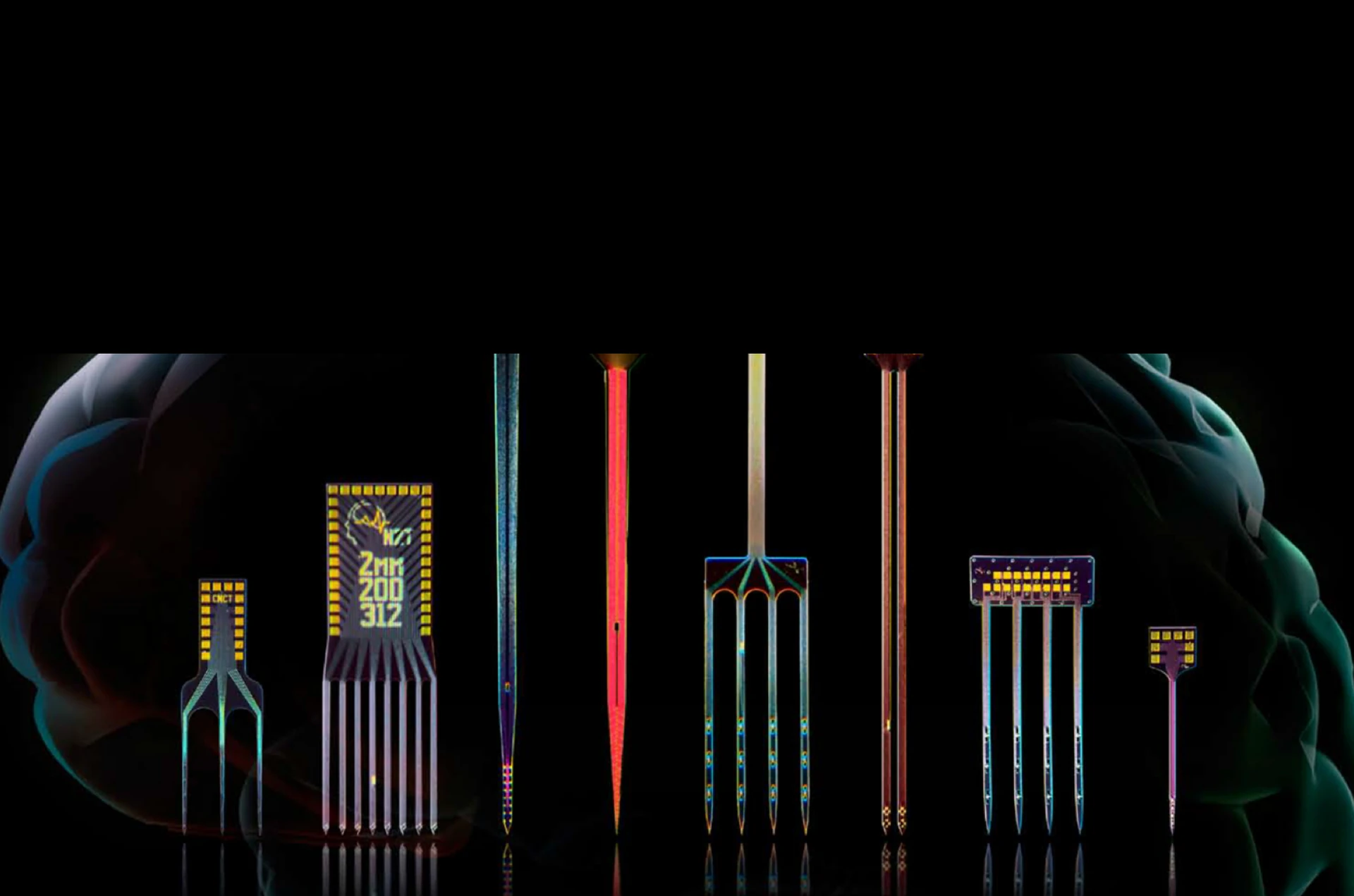
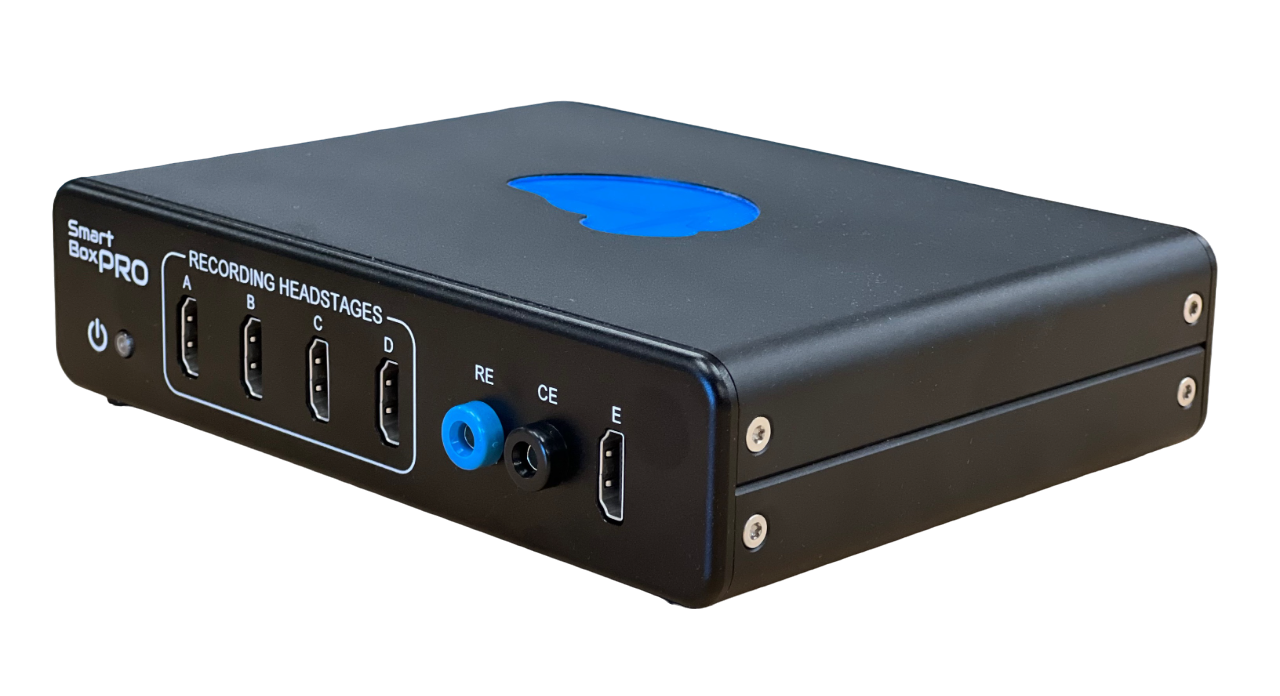
Acquisition systems
The Smartbox, XDAQ and SiNAPS systems that Allego runs.
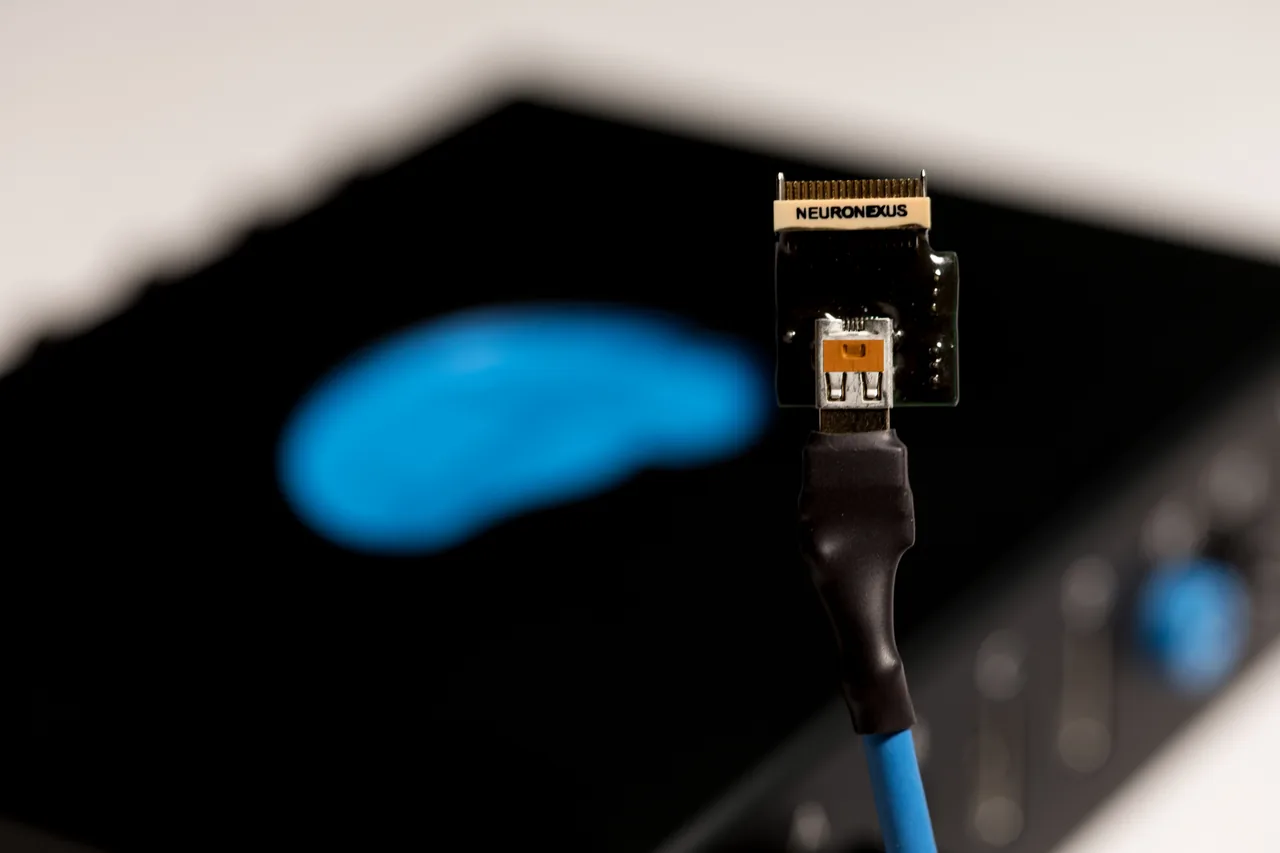
Headstages and adapters
Pin a probe in the Connection Finder to see which headstages, adapters and systems join it.
Radiens — FAQ
Is Radiens software included with probes?
Radiens Standard is free and works with every NeuroNexus system; Radiens Pro is licensed separately from probes — see radiens.ai for the editions.
What data formats are supported?
Radiens reads recordings from Intan, Open Ephys, TDT and Plexon systems, opens and writes NWB natively, and gives Python access to the same operations through RadiensPy.
What is the Radiens software platform?
Radiens is NeuroNexus's electrophysiology software, and Radiens Standard is free. It acquires, analyzes, and curates neural data with your data staying home, reads many vendors' formats, and scales from a single workstation upward. Allego — its acquisition app — is free with every NeuroNexus system. Full details and a free download are at radiens.ai.
What software runs the DAQ?
Allego, the acquisition app of the Radiens platform, runs Smartbox and runs XDAQ in record and record-and-stimulate modes, with probe-aware channel mapping and real-time signal quality. In Neuropixels mode, XDAQ runs on Kontex's acquisition software with the Open Ephys plugin.