Skip to content

SiNAPS Probe Maps

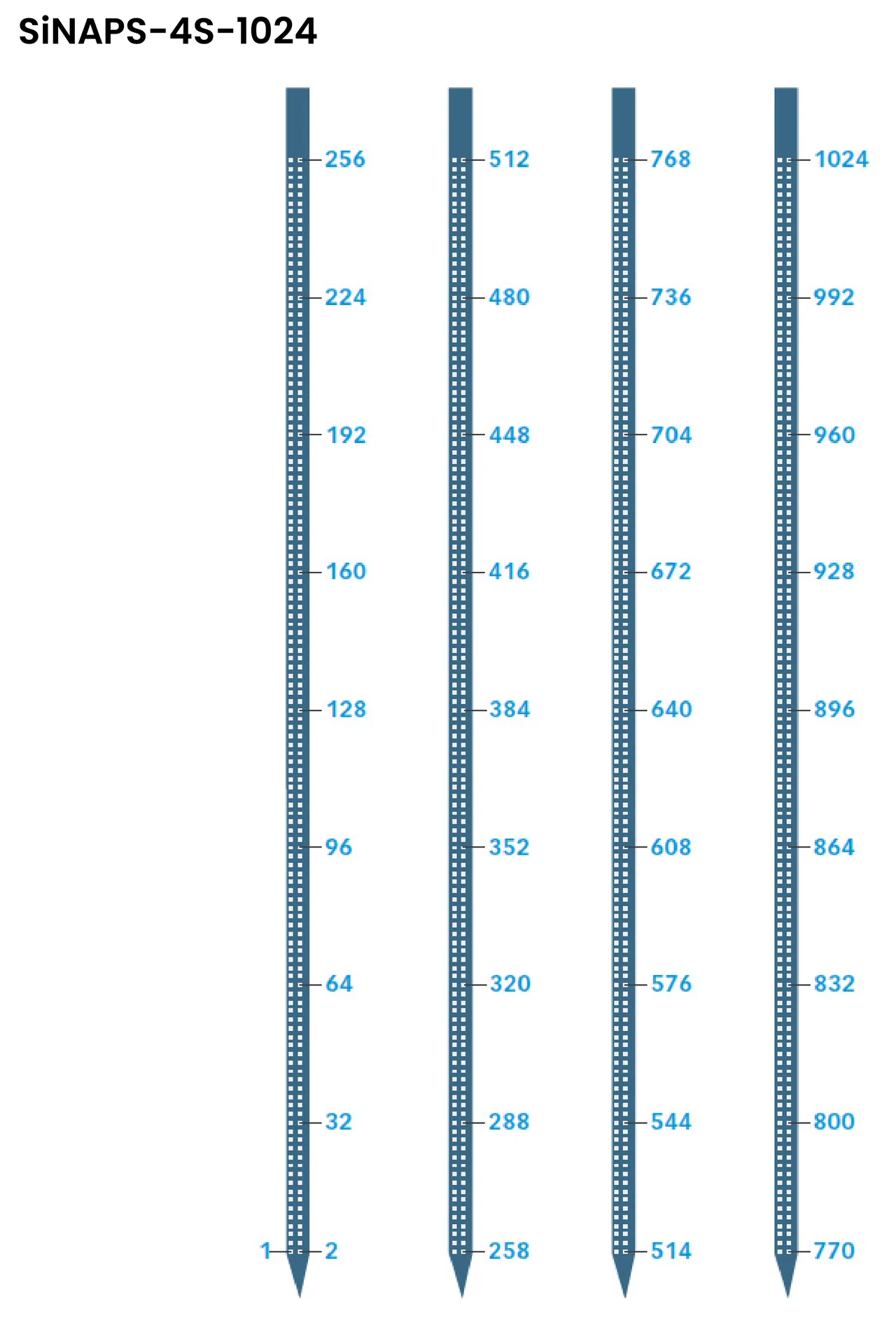
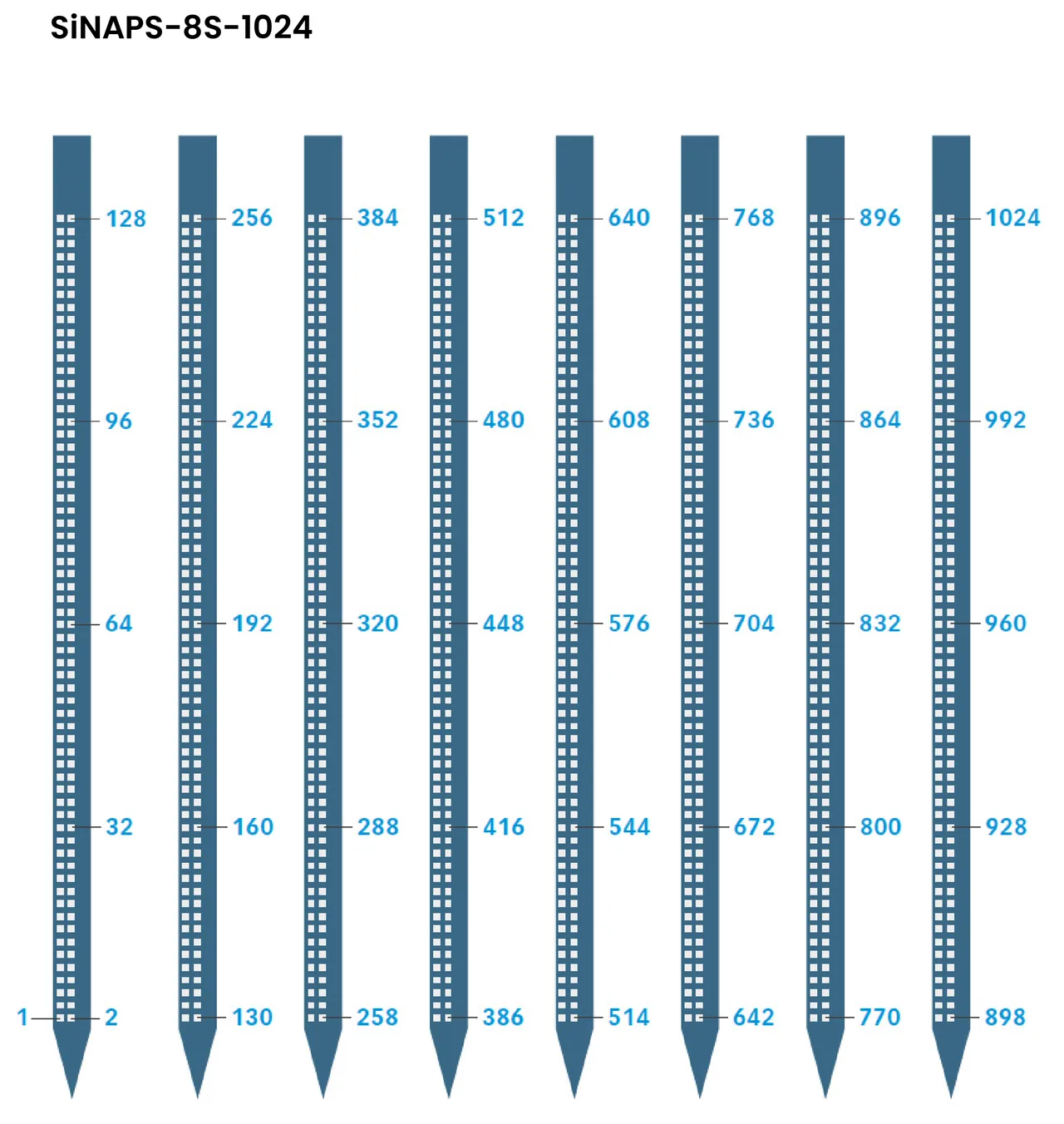
Site numbering for the SiNAPS 1S-256, 4S-1024 and 8S-1024 probes, at print resolution.

DocumentationVideosDownloadsComponentsCitationsGlossaryFAQ
Manual
v1.0

2 min read

Updated August 31, 2026

16px

These maps translate between a channel number in Allego and a physical site on the shank. Sites run from the tip upward in adjacent pairs — 1 and 2 at the tip, and so on to the top of the active region.

Research use only. NeuroNexus products and the procedures described here are for non-clinical research use, and must not be used in human or veterinary medical procedures.

Site geometry, shank dimensions and the rest of the specification live on each probe's product page; these are maps, not datasheets. For the procedures that use them — calibration, insertion, troubleshooting — see the SiNAPS Manual.

SiNAPS-1S-256#
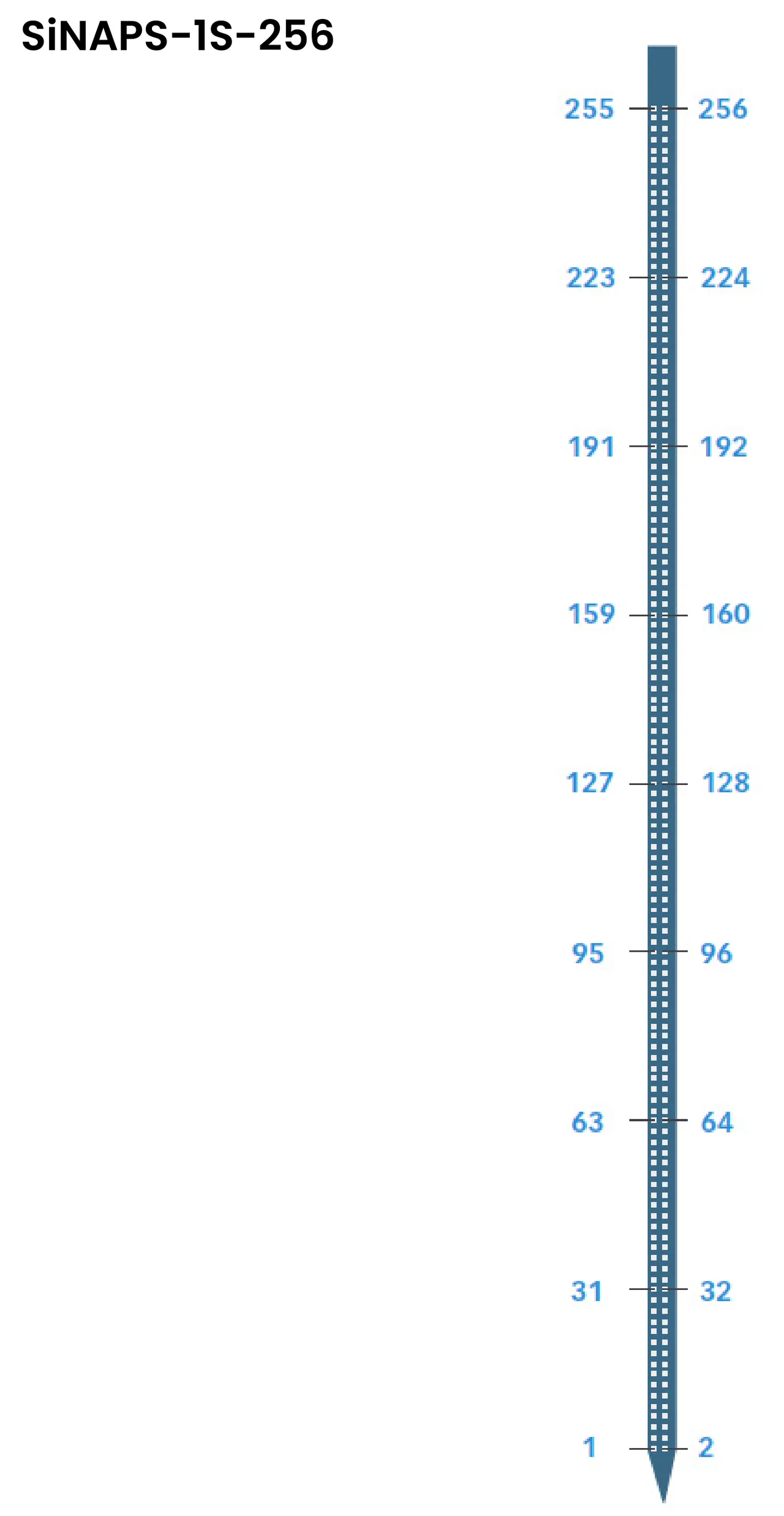
SiNAPS-1S-256 site map: one shank, 256 sites numbered in pairs from 1 and 2 at the tip to 255 and 256 at the top

SiNAPS-4S-1024#

SiNAPS-4S-1024 site map: four shanks, 256 sites per shank

SiNAPS-8S-1024#

SiNAPS-8S-1024 site map: eight shanks, 128 sites per shank

Packages and dimensions#

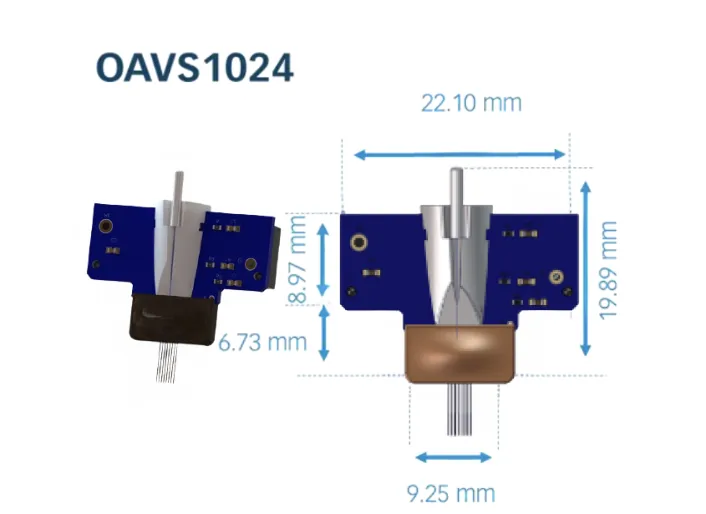
The probe ships on a package board; the maps above number the sites, and these give the board's outline. The optogenetic packages share the dimensions of the standard ones, with a 1.25 mm ferrule added.
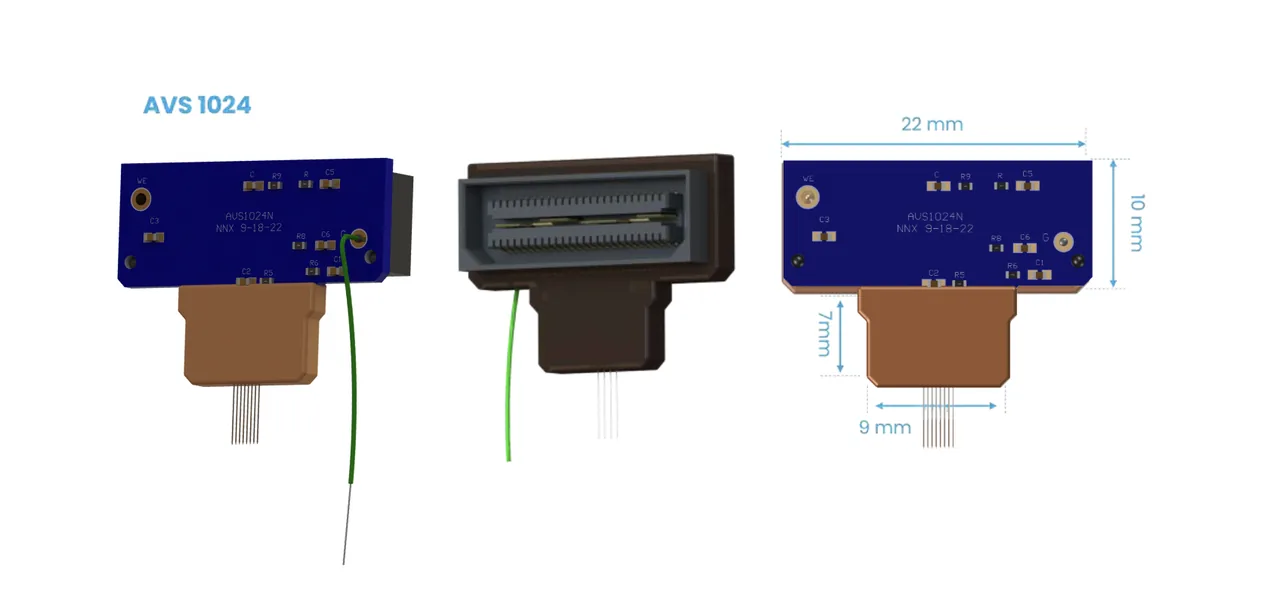
AVS1024 package: board face, connector view, and a dimensioned outline drawing

OAVS1024 optogenetic package: board with the fiber ferrule, and a dimensioned outline drawing

Also available as PDFs#

NeuroNexus publishes the same maps as PDFs, which print at scale:

NeuroNexus

Neural probes, data acquisition systems, and analytics software for neuroscience research. Designed and manufactured in Ann Arbor, Michigan.

sales@neuronexus.com
+1 734 913 8858

640 Avis Drive, Suite 200, Ann Arbor, MI 48108

Products

All rights reserved. Copyright © 2026 NeuroNexus.
Policies

Consultation

Cart

History

Resources

Describe your setup and we'll match you to the right probe

Oaks 0.8α

Ctrl+K

Save products while browsing — they'll appear here

Look for the "Add to cart" button on product pages

Log in to see your conversation history and quotes

Sign in

Featured resources

Contextual documents and guides will appear here based on the current page.

Prefer a person? Talk to an Application Scientist